Extract Any Color Palette in One Click
Instantly see every color used on any webpage — hex codes, swatches, and one-click copy. Built for designers and developers.
Everything you need, nothing you don't
A focused tool that does one thing exceptionally well.
Instant Extraction
Scans every element's computed styles — color, background, border, and outline — the moment you open the extension.
HEX Codes Only
Clean, copy-ready HEX values. No messy RGB strings — just the exact hex codes you need for your design tools.
Click to Copy
Click any color swatch and the hex code is instantly copied to your clipboard. No manual selecting needed.
Smart Contrast
Text on each swatch automatically adapts to black or white based on background brightness — always readable.
No Duplicates
Automatically deduplicates the color set so you see only unique palette colors — no clutter, no repeats.
Zero Config
No setup, no login, no permissions beyond the active tab. Install and it just works on any webpage instantly.
How it works
Three steps from install to palette. No learning curve.
Install the Extension
Head to the Chrome Web Store and add Color Palette Extractor to your browser in seconds. No account required.
Visit Any Website
Navigate to any webpage you want to inspect — a design you admire, a brand site, or your own project.
Click the Icon
Click the extension icon in your toolbar. Your full color palette appears instantly — click any swatch to copy.
A palette from any page, instantly
Open the extension on any site and watch the full color palette appear — every unique color, ready to copy.
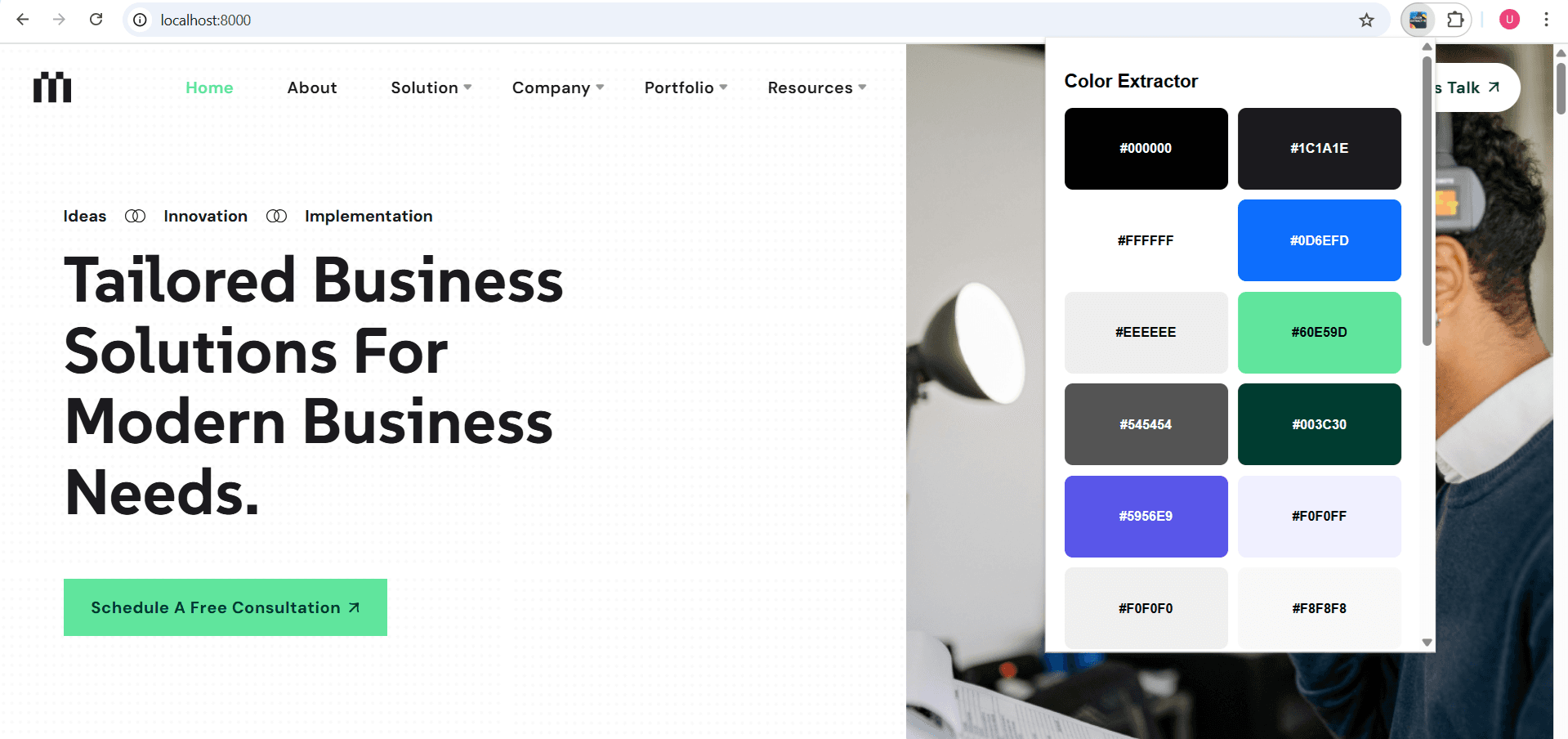
All colors extracted from a live webpage — click any swatch to copy the hex code.